
Separate shared facts from localized explanations
A product code or measured dimension often identifies the same item across markets. Its sales description, terms customers search for, and country-specific instructions may need separate wording. Identify both sets of information before creating translations so that editors know where to update factual values and which copy to localize.
Prepare language versions in the editor
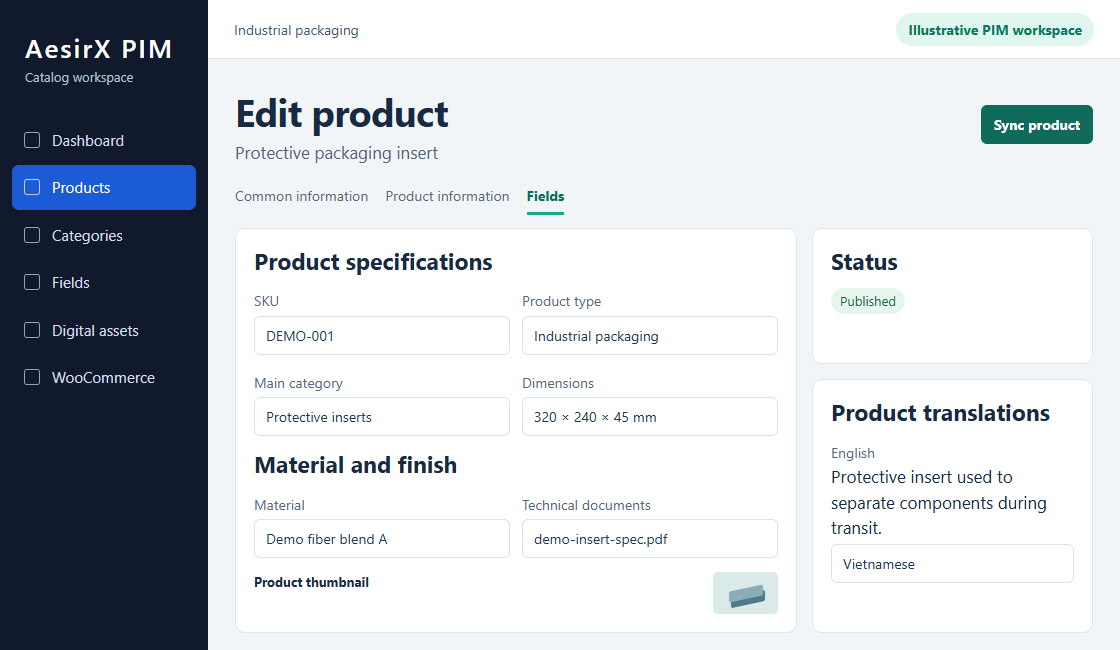
The pilot editor shows Vietnamese product content and a control for editing an English translation. Use that pattern to review a representative product with both market teams. Check terminology, punctuation and units alongside the translated description. For a packaging insert, keep the physical dimensions consistent and use wording familiar to buyers in each market.
Verify a language version on the destination
A storefront may handle languages, categories or translated pages differently from the catalog. Compare the product title, description, unit labels, image and category in each storefront language. Identify which fields are supported by the configuration before publishing more records. Include examples of fields left blank or not required in one market so editors can decide how to handle them.
The WooCommerce publishing checklist gives a practical way to run those checks.
Decide what to do when a language version is incomplete
Consider a sample product with the same dimensions in both languages, a revised English product name and an older Vietnamese description. Give the Vietnamese editor the original specification and approved terminology. Confirm that both pages refer to the same product and that the translation matches the approved facts.
Include a second example where a piece of copy is deliberately missing. Open the configured destination in both languages and record what it actually displays. Decide with the market owner whether to amend the translation or hold that locale’s publishing step. This check reveals the store’s configured behavior for incomplete content.