
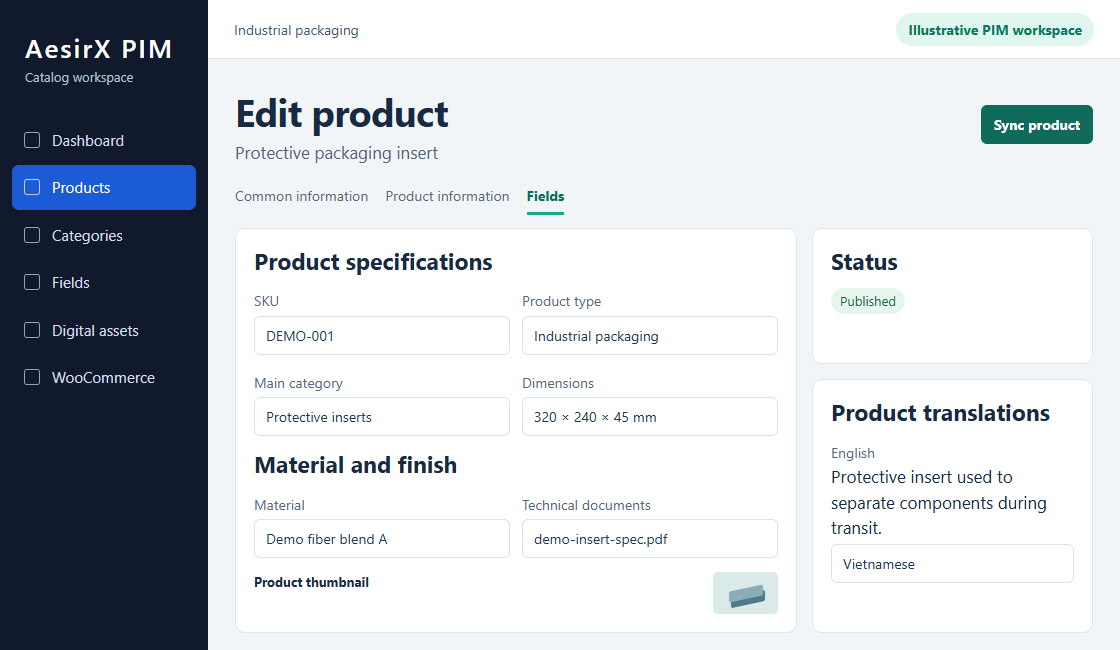
Model one product family before scaling
List the information people rely on to identify and compare an item. A manufacturer of protective inserts might need a product code, material grade, dimensions with a unit, and a technical sheet. Keep the grade and dimensions in structured fields so a catalog editor can find and review them separately from the description.
| Catalog element | Packaging example |
|---|---|
| Main category | Protective inserts |
| Product type | Industrial packaging |
| Specification fields | Material grade, length, width, and height |
| Media fields | Thumbnail, product gallery, and a reference document |
The table is illustrative. Choose the fields and units that fit your products and compare proposed labels with the information downstream teams actually use.
Prepare and review the product record
Create or open the item in the catalog. Check common information, related category assignments, product information, and the configured field groups. Use the digital asset library to find the current product image. If a product is offered in more than one language, also review the relevant language version before publication.
Give the next team a clean handoff
The dashboard reports product records by publication status. Use that context to choose a representative published item and confirm the store mapping before sending a group of products to WooCommerce. After publishing, compare the intended values with the product page customers see. For an example of how this works in practice, see the Baconco case.
Check how a change reaches the right record
Suppose engineering issues a revised product sheet for a protective insert. Confirm the identifier, main category and product type before changing the dimensions or material. Replace the linked sheet after the product owner confirms which revision applies. Review localized descriptions and any media captions that mention the changed specification.
Ask another editor to find the updated fields from the product record and compare them with the sheet. If WooCommerce is configured, check the destination for that item before publishing more records. How to model product data before an import