
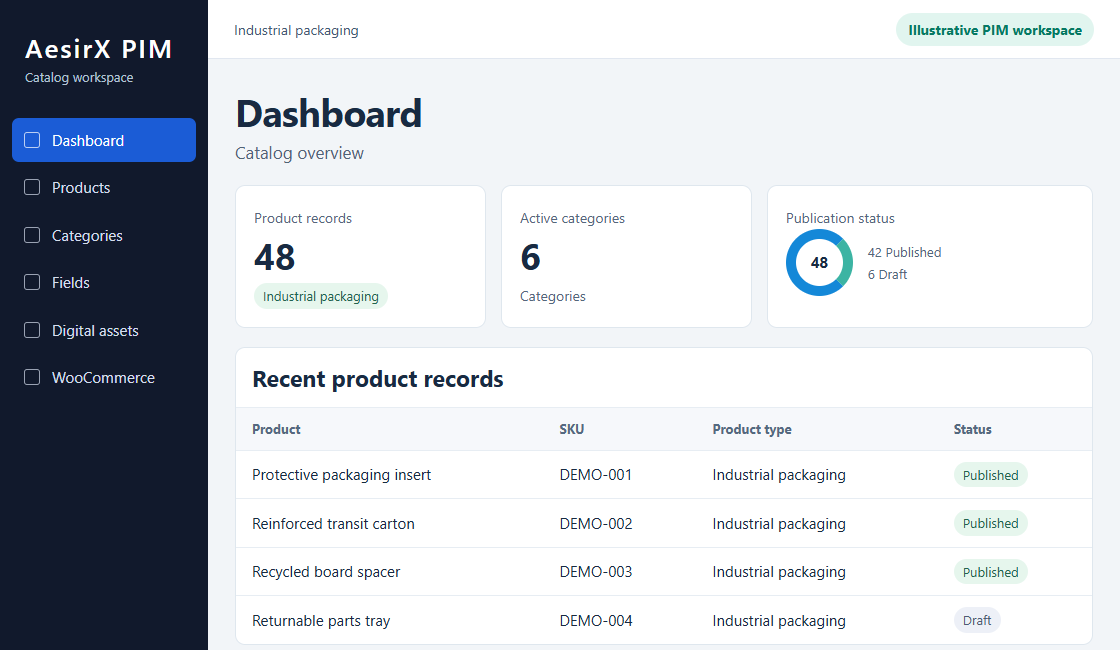
Build around the information that identifies a product
A category tells people where a product belongs. A product type describes the kind of product being maintained. Fields hold information such as dimensions, material, and a technical document. Field groups keep related information together in the editor. A packaging supplier, for example, can use one group for fit and dimensions and another for materials and finish.
Maintain the record as different teams use it
Catalog editors keep common facts together with descriptions and associated media. For localized content, the pilot editor exposes language controls so a team can maintain a separate description for another market. The asset library gives editors a place to find images and documents when preparing records. Review language content and media together before setting a product up for publication.
Configure discovery and commercial records
Use categories, brands and type records to classify products. Filtering fieldsets, fields and values organize shopper or catalog search choices, and product field values link those choices to individual records.
The commerce settings maintain prices and debtor groups, tax-rate records, and shipping methods, zones and rates. The Platform menu links to each area. Review the intended records separately from any pricing or shipping behavior in a sales channel.
Review workspace membership
Use the member list to see which users are associated with the workspace. Review organization role assignments as part of preparing the people who will maintain product information or commerce configuration.
Decide how a channel should receive the information
In the WooCommerce pilot, teams configure the destination, map PIM categories, and use product or category sync controls. The mapping step matters because a useful internal category may have a different label or place in the storefront. A sample product lets the team compare the source and the storefront before using a larger group.
See how the same catalog supports discovery
Baconco’s custom WordPress Farmer Advisor can use eligible product information alongside selected website content and approved technical knowledge. The product team can keep catalog facts in PIM while the site team remains responsible for publishing WordPress content. The case study shows the customer-specific implementation, and a reusable Advisor is planned.